Digital Nomad Gear Under 5 Pounds: What 1.5 Years Cut
By: Evgeny Padezhnov
After eighteen months on the road, the packing list stops growing and starts shrinking. That is the real signal. Nomads who have logged years of travel converge on a surprisingly small set of items, and they converge for the same reasons: weight, failure modes, and the cost of replacing something in a country with no authorized reseller.
The Nomad Stays packing guide puts it plainly at the 1.5-year mark: still adapting, but the working set is settled. That gap between "settled" and "still adapting" is where most gear advice fails. Lists written in month two are aspirational. Lists written after a year are subtractive.
The 1.5-Year Baseline: Bag, Not Gadgets
The container decides the contents. Nomad Stays recommends a 35-40L carry-on backpack, a compact daypack, and a couple of packing cubes. Nothing checked. That single constraint removes more debate than any gear comparison.
Volume discipline pairs with a rule from GoAbroad's packing list: every item in the bag should earn its place. The failure cases it names are mundane and expensive. Wi-Fi blackouts. A missing adapter. A forgotten cable. Each one converts travel time into lost work time.
The counterintuitive advice from Nomad Stays: start with an almost empty case and buy what is needed along the way. Shampoo, a second towel, a spare cable — all of it exists in every city on the planet. Carrying it across borders is paying airline weight rates for supermarket goods.
Key point: the first version of the list should be too small. Additions happen where the gap is proven, not where the gap is imagined.
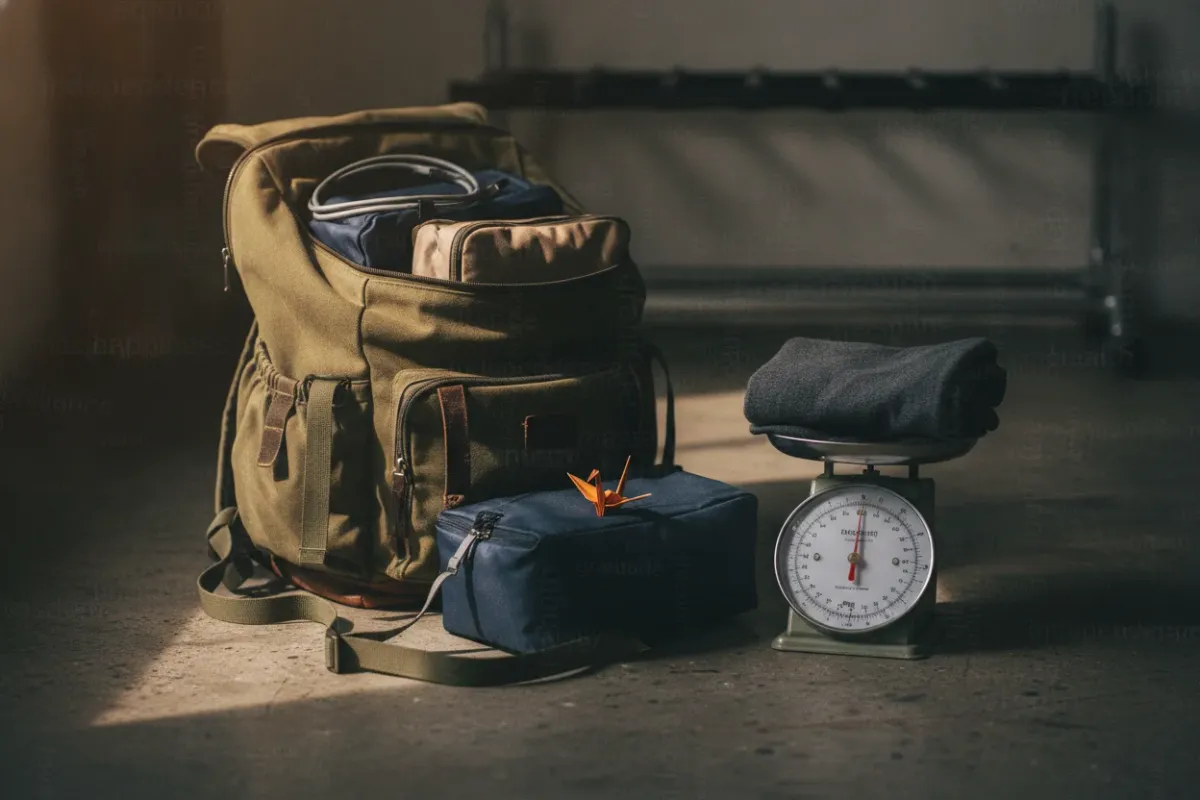
One writer at Nomadicated weighed every packed item on a food scale before flying out, after two years of remote work in a van. The resulting list is deliberately short, built around versatile items rather than coverage of every scenario.
Laptop: The Refurbished Argument Beats the Flagship Argument
Laptops absorb the most hours of any device. Nomad Numbers, six-plus years into slow travel, calls them the devices they spend the most time on, more even than smartphones, running a MacBook Pro and a MacBook Air between two people.
The specs that actually matter on the road are battery and mass:
- MacBook Air (M3): $1,099, 2.7 lbs, 15:13 hours of battery in RentRemote's testing
- Dell XPS 13 (2024): $1,299, 2.6 lbs, 19:41 hours
- Tales of a Backpacker cites the MacBook Air at 2.7 pounds with up to 18 hours
RentRemote's thresholds are worth copying: 10+ hours of battery, total gear weight under 5 pounds, adapters rated 110V-240V, and 50+ Mbps for video calls. Those numbers came out of a setup tested across six countries over five years. Tested in production, not in a review lab.
The dissenting view is the useful one. Tales of a Backpacker argues against spending $1,000 on a laptop at all, and runs a refurbished Dell Latitude 7310 instead. Lighter, cheaper, and replaceable without drama.
Common mistake: buying refurbished without checking whether the guarantee is still valid and claimable while abroad. A warranty that only works in the country of purchase is not a warranty for a nomad.
Bucketlist Bri names the MacBook Pro as the preferred machine after previously using Dell and Chromebook hardware, with the Air as a solid alternative. The pattern across sources is not brand loyalty. It is repairability and battery hours per pound.
Connectivity: Two Layers, Not One
Connectivity failure is the one problem that cannot be solved locally at 9 a.m. before a call. Experienced nomads run it in layers.
Layer one is arrival coverage. Wake Up Stoked describes using Dent, which provides internet in 60 countries, where a 2 GB package works anywhere and stays valid for 365 days. The stated pattern: Dent for the first days in a new location, then switch to a local SIM. Google Fi is noted as a common alternative among nomads.
Layer two is the local SIM, which is almost always cheaper per gigabyte and faster than roaming. A SIM card case with an ejector pin lives in the wallet, though availability of that specific product varies by market.
The trap is home-country roaming. Tales of a Backpacker warns that most UK phone contracts carry a fair usage policy that cuts data roaming once the user is out of the country for more than two or three months. Roaming is a holiday feature, not an infrastructure plan.
A mobile hotspot appears on RentRemote's seven-item list as the backup path. In practice, the phone covers this for most people, but a dedicated hotspot keeps the work laptop online while the phone handles calls.
Software matters as much as bandwidth here. Teams that live on distributed tooling should know what those tools collect and where connections break, which is covered in more depth in this look at remote work tools and the tracking they ship with and in the breakdown of blind spots in AI tool connections.
Power: The Boring Items That Prevent Bad Days
Nomad Stays lists a power bank of 20,000mAh or more and a universal travel adapter as nomad-tested essentials, alongside an extension cord, a powerboard, and a multi-country plug. The extension cord sounds excessive until the only outlet in a guesthouse room sits behind the bed.
Nomad Numbers includes a battery bank and a charging station in its essential tech categories. A single multi-port charger replaces three bricks and two cables, which is a direct win against the 5-pound total.
In plain terms: one adapter rated for 110V-240V, one 20,000mAh bank, one multi-port charger, one short extension lead. Four items cover nearly every room, airport, and bus.
Ergonomics: Cheap Fixes for an Expensive Problem
Hunching over a laptop every day damages posture and health, as Tales of a Backpacker notes from experience. The fix is a stand plus external input devices.
Stand options are well documented:
- Roost Laptop Stand: $89.99, 170g
- Nexstand K2: $39.99, 234g, roughly 50% cheaper than the Roost
The Nexstand costs half as much and weighs 64g more. For a 35L bag, that trade is usually correct. Nomad Numbers keeps laptop accessories as its own category for the same reason.
Screen hours compound in another direction. Bucketlist Bri includes blue light glasses because prolonged screen exposure contributes to chronic headaches, eye fatigue, degraded sleep quality, and poor focus. Movement is the other half of that equation, and the rhythm problem is real: sedentary time climbs quickly in remote setups, as covered in this piece on fixing the remote work rhythm.
Nomad Numbers even lists an air quality monitor and an Oura Ring under non-essential health tech, which is an honest label. Those are additions for people already carrying everything else.
Data: Assume the Laptop Gets Stolen
Bucketlist Bri frames the backup question directly: what if something got stolen? Keeping all work on the laptop is a single point of failure that travel makes far more likely.
Nomad Stays lists a backup SSD or secure cloud storage as a tech essential. Nomadicated compares the two physical options by weight:
- USB-powered Seagate HDD: 9.12 ounces (258.55g), recommended for photo libraries
- SSD: 1.76 ounces (49.89g), pricier per terabyte but faster, smaller, and lighter
For photographers, the volume argument favors the HDD. For anyone carrying documents and code, the SSD's 50g is close to free. Nomad Numbers keeps an external storage drive in the essential list regardless of the medium.
The rule that follows from theft risk: the backup drive and the laptop never travel in the same bag. Cloud sync covers the interval between manual backups.
Failure and Repair: The Reseller Map Is Thinner Than Expected
Equipment failure is the challenge most lists underweight. The Genki guide for digital nomads recommends reaching out to the nearest authorized reseller, and adds the practical detail: finding an Apple reseller in Fiji, Myanmar, and Peru was not fun.
That is a strong argument for hardware with global service coverage, or for hardware cheap enough to replace outright. It is also an argument for a backup device. Nomad Stays carries an old Android phone specifically as a spare, plus a Microsoft Surface Pro with a detachable keyboard, an iPad, and two sets of wireless headphones.
Two sets of headphones looks like duplication until one pair dies mid-call.
Organization: The Same Place, Every Time
Genki recommends a military-style packing discipline: every item always in exactly the same place. The payoff is not tidiness. It is locating a passport or a visa document quickly during a stressful immigration or airport moment.
Cable chaos has a standard solution. GoAbroad lists a waterproof cable organizer pouch at number 10, holding chargers, earbuds, adapters, and USB drives in one place. Bucketlist Bri bought a tech pouch on Amazon France for around $17 and gifted two more to other nomads, noting Rinvanic as the closest US equivalent and Bagsmart as the better-reviewed option.
Seventeen dollars against ten minutes of digging through a backpack daily is not a close call.
Focus: Noise Is Gear and Location
Noise-cancelling headphones appear on nearly every list surveyed: RentRemote, Nomad Stays, and Tales of a Backpacker. Genki extends the range of solutions from headphones to earplugs to white-noise-producing fans and air conditioning.
Location does work that gear cannot. Pack Hacker's remote work guide, written by a team that travels perpetually out of one-bag packs, recommends working from a coffee shop or coworking space to force focus. The distractions it names in isolated work are specific and familiar: Instagram, YouTube, a call to help a parent reset a router, fiddling with the hotel coffee maker.
There is a mindset component too. Leaving the room to work beats waking at 8:55 a.m. for a 9 a.m. video call in sweatpants.
For coffee specifically, Wake Up Stoked lists the Aeropress Go as the paid option and a reusable stainless steel filter that fits over almost any cup as the cheap one, with the caveat that the filter needs cleaning immediately after use.
What to Try Right Now
Weigh the current tech kit. Every item, on a kitchen scale, in grams.
Try it: the target is under 5 pounds total for laptop, stand, input devices, adapters, and power bank, per RentRemote's benchmark. Anything above that budget needs a written justification, and "might need it" does not count. Items that fail the test get sold, shipped home, or replaced with a lighter equivalent.
Then do one restore test. Pull a file from the backup drive or cloud onto a different machine. If that fails, the backup does not exist yet.
Frequently Asked Questions
How do you prevent losing important files and photos if devices get stolen while traveling?
Split the storage. Bucketlist Bri stresses backing up work on an external device rather than keeping everything on the laptop, precisely because of theft. Nomad Stays pairs a backup SSD with secure cloud storage, and the drive should never share a bag with the laptop.
What is the best backup system for RAW photos and documents when moving between countries?
Match the medium to the volume. Nomadicated recommends a USB-powered Seagate HDD at 258.55g for organizing photo libraries, and notes SSDs at 49.89g are faster, smaller, and lighter but cost more per terabyte. Documents and code fit comfortably on the SSD plus cloud sync.
Why avoid packing shampoo and heavy liquids when flying?
Liquids are heavy, restricted in carry-on, and available everywhere. Nomad Stays advises starting with an almost empty case and buying what is needed along the way. That keeps the 35-40L bag within airline limits without checking luggage.
How do you keep multiple devices charged without reliable access to outlets?
Nomad Stays lists a 20,000mAh or larger power bank, a universal adapter, an extension cord, and a multi-country plug as tested essentials. A single multi-port charging station replaces several bricks. Choosing a laptop with 10+ hours of real battery reduces outlet dependence significantly.
Does prolonged screen exposure affect sleep and eye health differently while traveling?
The mechanism is the same, but travel adds irregular schedules and unfamiliar lighting. Bucketlist Bri links prolonged screen exposure to chronic headaches, eye fatigue, reduced sleep quality, and poor focus, and includes blue light glasses for that reason. Genki's recommendations for mental well-being include monitoring daily screen and work time, plus scheduling free time deliberately.
Information is accurate as of the publication date. Terms, prices, and regulations may change — verify with relevant professionals.