Travel Router for Working Abroad: Setup, Limits, Risks
By: Evgeny Padezhnov
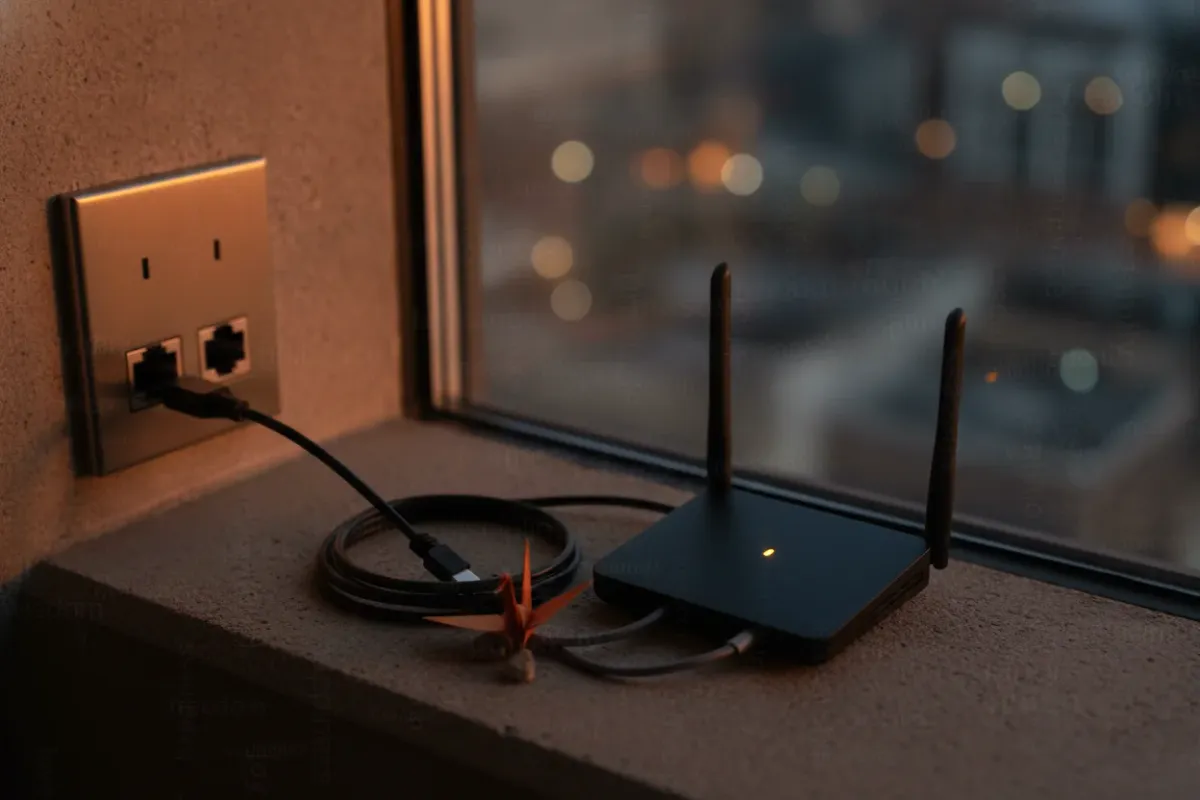
Hotel Wi-Fi breaks remote work in quiet ways. It caps devices, blocks VPN protocols and drops at the worst moment.
A travel router moves that problem into one small box. It joins the venue's network once and builds a private network for everything else. The same setup also carries risks that most guides skip. This article covers both sides.
The context is simple. As the QPU World expat guide puts it, internet quality "changes dramatically" between countries. Staying connected is often one of the biggest challenges expats face. Remote workers carry extra weight: work VPNs, video calls, and sometimes contractual rules about location.
What a Travel Router Actually Does
A travel router sits between the outside network and the devices. The outside network can be hotel Wi-Fi, an Ethernet jack, or a phone. The devices only ever see the router's own network.
In plain terms: the hotel sees one client. The laptop, phone and tablet see their usual home-like network.
The four modes that matter
Most models support some mix of these modes:
- Repeater (Wi-Fi as WAN). The router joins hotel or Airbnb Wi-Fi and rebroadcasts it. Useful when the room has no Ethernet port.
- Ethernet WAN. Plug the router into a wall jack. TP-Link notes its Roam 7 has a 2.5G WAN port, so a fast wired connection is not wasted.
- USB tethering. Connect a phone with mobile data to the router's USB port. Every device then shares the phone's connection.
- Range extender. TP-Link describes this for campgrounds and RVs. The router pulls in a weak signal and rebroadcasts it indoors.
According to TP-Link's 2026 buying guide, USB tethering shares phone data across all devices "without draining its battery as quickly." The phone stops running its own Wi-Fi hotspot radio.
Why devices reconnect instantly
The router keeps the same network name and password everywhere. Devices already know it, so they connect without any new setup.
An XDA Developers author tested this on a two-week trip with patchy internet. The kit was a TP-Link AX1500 Wi-Fi 6 travel router, two laptops, two smartphones and a smart plug. Connecting each device to every new network "would have been a hassle, especially the smart plug." With the router, "it took only seconds." The author switched between stable Wi-Fi and USB tethering, and devices stayed on the same router throughout (XDA Developers).
Captive portals and device limits
Hotels often limit guests to one or two devices per room, according to Where To Nomad. A travel router converts one login into many devices.
It also solves the captive portal problem. A captive portal is the login page that appears before internet access. Chromecast, Apple TV and similar devices cannot complete that page. The router completes it once, on behalf of everything behind it.
Choosing Hardware: What the Numbers Say
The sources converge on a short list. VPN speed is the number to compare, since encryption runs on the router's own CPU.
| Model | WireGuard speed | Wi-Fi | Price (approx.) | Best fit |
|---|---|---|---|---|
| GL.iNet Mango (GL-MT300N-V2) | 45 Mbps | Wi-Fi 4 (N300) | $35–45 | Emergency backup, email and chat |
| GL.iNet Beryl AX (GL-MT3000) | 300+ Mbps | Wi-Fi 6 (AX3000) | $90–110 | Most remote workers |
| GL.iNet Slate AX (GL-AXT1800) | 500+ Mbps | Wi-Fi 6 (AX1800), 3x Gigabit Ethernet | $120–140 | Several laptops, heavy traffic |
Speed and price figures come from the NAT Checker VPN travel router guide. Where To Nomad lists the Beryl AX "under $70," so street prices vary noticeably. Check current pricing before buying.
Expert opinions line up with the table. On the GL.iNet forum, a user stated that "the Slate AX outperforms the Beryl AX in both WireGuard & OpenVPN." PC Guide picks the Slate AX as its best travel router overall. NAT Checker gives the Beryl AX its top overall pick for digital nomads.
Budget and cellular options
- TP-Link TL-WR902AC. Roughly $35 and five modes, including router, repeater and access point. Setup takes under two minutes. But it lacks Wi-Fi 6 and a VPN client. For remote work, that last gap usually rules it out.
- Netgear Nighthawk M7. Netgear's own pick for 2026. It combines Wi-Fi 7, an unlocked design, and both SIM and eSIM support. It weighs 240 g, connects up to 32 devices, and includes a firewall, WPA3 and automatic firmware updates.
- Netgear Nighthawk M7 Pro. PC Guide recommends it for freedom from power outlets. It has a built-in battery and 5G, "albeit at a significantly higher price."
- Netgear Nighthawk M6 Pro. Where To Nomad calls it "expensive and bulky." It is also "unbeatable when hotel WiFi is dead."
Key point: a cellular router and a Wi-Fi travel router solve different problems. The GL.iNet units depend on someone else's internet. The Nighthawk line brings its own.
The wired desktop case
One GL.iNet forum user worked on a wired desktop PC with no Wi-Fi. That changes the requirements. The router needs a LAN Ethernet port and must run the VPN tunnel itself. The Slate AX's three Gigabit Ethernet ports fit that profile well.
The Home-Tunnel Setup
The most discussed setup routes all traffic back to the home connection. One router stays at home as a VPN server. The travel router abroad acts as the client. Traffic then appears to come from the home IP.
Two routers or one
The GL.iNet forum thread asked exactly this. Should a remote worker buy one router and use a commercial VPN? Or set up two routers, one at home and one abroad?
The difference matters:
- Commercial VPN: the exit IP belongs to a provider. It shows the right country but not the home address.
- Home server: the exit IP is the actual home connection. It matches what the employer usually sees.
A September 2024 forum post shows the common confusion. The user had configured an OpenVPN client on a Beryl but did not know how to choose between home IP and a third-party US IP. The answer depends on which server the client profile points to.
WireGuard first
Forum responders recommend WireGuard over OpenVPN "if you can." It is faster on the same hardware, as the Slate and Beryl numbers show.
A GL.iNet staff member described the steps:
- Run the WireGuard Server on the home router.
- Generate and export the client profile.
- Make sure the home router has a public IP, or set up port forwarding on the ISP router.
- Import the profile into the WireGuard Client on the travel router.
Common mistake: skipping step 3. Many ISPs place customers behind carrier-grade NAT (CGNAT, shared public addresses across many customers). Without a reachable public IP, the travel router cannot find the home server. Check this at home before the trip, not in a hotel room.
A typical client profile looks like this:
[Interface]
PrivateKey = <travel-router-private-key>
Address = 10.0.0.2/32
DNS = 10.0.0.1

[Peer]
PublicKey = <home-server-public-key>
Endpoint = home.example.net:51820
AllowedIPs = 0.0.0.0/0, ::/0
PersistentKeepalive = 25
Two lines deserve attention. AllowedIPs = 0.0.0.0/0, ::/0 sends all IPv4 and IPv6 traffic through the tunnel. PersistentKeepalive = 25 keeps the tunnel alive behind hotel NAT, which often drops idle UDP sessions.
Verify before relying on it
From a laptop behind the travel router, run:
curl https://ifconfig.me          # should print the home IP
curl -6 https://ifconfig.me       # should fail or print a home IPv6
ping -c 20 10.0.0.1               # tunnel latency to the home server
If the IPv6 check prints a foreign address, IPv6 traffic bypasses the tunnel. Disable IPv6 on the travel router or route it through WireGuard as well.
Then turn on the router's kill switch, if the firmware offers one. That option blocks traffic when the tunnel drops. Without it, a reconnect can silently send traffic through the hotel network.
Try it: unplug the home router's WAN cable while connected abroad. If the laptop still reaches the internet, the kill switch is not working.
The Risks Nobody Discusses
The Reddit r/digitalnomad thread states the core problem plainly. Many employees have contracts that do not allow working abroad. Home-tunnel setups are widely discussed. But there are "not many discussions about the risks of this approach."
An IP address is one signal among many
A home tunnel changes the IP the employer sees. It does not change other signals:
- Latency. Every packet crosses the distance twice. A video call routed across an ocean feels slower, and that delay is measurable.
- Device location services. Phones and laptops can estimate position from nearby Wi-Fi networks and GPS. That happens on the device, outside the router.
- Time zones and work patterns. Calendar settings and activity hours tell their own story.
- Corporate security software. Managed laptops may report more than the network path reveals.
Key point: a travel router is a networking tool, not a contract workaround. Remote workers abroad without employer approval also face tax and legal exposure. No router setting changes that. The honest route is written permission from the employer.
Single points of failure
The home-tunnel setup adds dependencies. A power cut at home, an ISP outage, or a router reboot ends the tunnel. Nobody is at home to fix it.
Practical mitigations:
- Put the home router on a small UPS.
- Use a dynamic DNS name instead of a raw IP, in case the ISP changes it.
- Keep a second access path to the home network for remote recovery.
- Test the full chain for several days before leaving.
Latency and AI tooling
Developers working abroad often depend on cloud tools. AI coding assistants stream responses over long-lived connections. A long tunnel adds delay to every request. For terminal-based agents like the ones in the complete Claude Code guide, split tunneling can help. Route only work traffic home and send the rest directly. The trade-off between tool choice and hardware is covered in this comparison of coding assistants on cheap laptops.
Security Baseline for Any Travel Router
A travel router connects to an untrusted network. It then creates a separate private network that keeps devices isolated from other guests, as TP-Link describes. Where To Nomad adds that the devices sit behind their own NAT firewall. The XDA author put it this way: "A travel router adds an additional layer of security." That author still avoids public Wi-Fi for banking.
The extra layer only works with basic hygiene. Netgear recommends three steps during setup:
- Change the default admin password and the Wi-Fi password.
- Use WPA3, or WPA2/WPA3 mixed mode for older devices.
- Keep firmware updates on, ideally automatic.
The first step is not optional. A YouTube setup walkthrough shows the admin console at 192.168.0.1 and a default password of "good life" in lowercase (video). Defaults like these are published and easy to find. Anyone on the router's network could try them. Admin addresses differ between models, so check the label or manual.
Common mistake: leaving remote management enabled on the WAN side. A hotel network is shared with strangers. The admin panel should only be reachable from the router's own LAN.
Network-level VPN covers every device
TP-Link highlights one practical benefit. When the VPN runs on the router, every connected device gets encrypted protection "without any extra configuration." That includes devices that cannot run a VPN app at all, like smart plugs and streaming sticks.
There is a catch with corporate VPNs. A work laptop running its own VPN inside the router's tunnel creates double encryption. It usually works, but it adds overhead. Test it before a critical call.
Power and Backup Planning
The XDA test showed the router "works well with a portable power bank." That matters in airports, trains and cafes with no free outlets.
A sensible kit for serious remote work:
- Primary: a Wi-Fi 6 router with fast WireGuard, such as the Beryl AX or Slate AX.
- Uplink backup: a phone with a local data plan, connected by USB tethering.
- Power: a power bank that can run the router for a full workday.
- Optional: a cellular router like the Nighthawk M7 if hotel Wi-Fi is often unreliable.
NAT Checker lists the GL.iNet Mango as an emergency luggage backup. At 45 Mbps WireGuard, it handles email and chat. Video calls through a tunnel will strain it.
What to Try Right Now
Before any trip, run one full rehearsal at home. Connect the travel router to a phone hotspot instead of home Wi-Fi. Bring up the WireGuard tunnel. Run curl https://ifconfig.me and confirm it prints the home IP. Then join a real video call for 30 minutes. If the call is stable on a phone uplink through the tunnel, a hotel network will rarely be worse.
Frequently Asked Questions
Does a travel router improve hotel Wi-Fi speed?
It cannot exceed the bandwidth the hotel provides. It can help when the signal is weak at the desk, since the router can sit near a window or door. A VPN on the router adds some overhead on top of that.
Can you use a travel router with hotel Wi-Fi that has a login page?
Yes. The router joins the network and passes the captive portal to one connected device for login. After that, every device behind the router gets access, including ones that cannot open a login page.
What's the difference between a travel router and a mobile hotspot?
A mobile hotspot has its own cellular modem and SIM or eSIM, like the Nighthawk M7. A Wi-Fi travel router like the Beryl AX needs an existing connection: Wi-Fi, Ethernet or a tethered phone. Netgear uses "travel router" for both, so read the specs before buying.
Will hotels detect that I'm using a VPN through my travel router?
The hotel network can see that encrypted traffic flows to one remote endpoint. It cannot see the contents. Some networks block VPN protocols entirely, so a phone tethering fallback is worth carrying.
Information is accurate as of the publication date. Terms, prices, and regulations may change — verify with relevant professionals.