Fast WiFi in SE Asia Starts With a SIM, Not Hotel WiFi
By: Evgeny Padezhnov
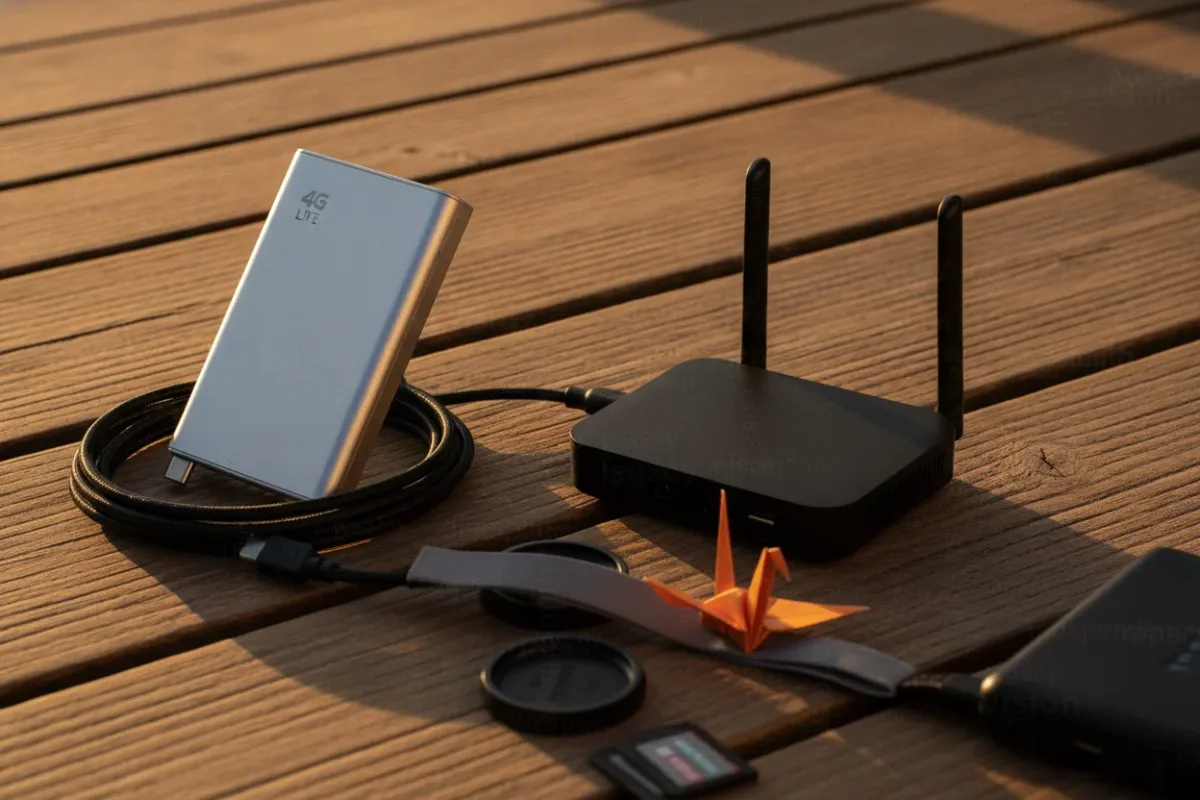
Southeast Asia does not run on one internet. It runs on several, and they change at the city limits.
A setup that streams 4K in Singapore can drop a video call in rural Sarawak. Hotel WiFi adds more unknowns: a shared uplink, an unmanaged router and unclear security. The reliable answer is a small kit matched to the country and the job.
The kit has three parts:
- A pocket 4G LTE hotspot for cellular data.
- A travel router for hotel and café networks.
- At home, a fixed line with a router sized to the plan.
What the Connectivity Data Says
Most regional figures are dated, and some are a decade old. They still explain why one device never covers the whole region.
- Below the global baseline. ASEAN as a whole sits below the world average for fixed broadband download speed. That finding comes from Ookla data in the Internet Society ASEAN Digital Economy report.
- Wide gaps between countries. A 2014 snapshot reported by Yahoo Finance put the regional average at 12.4 Mbps. The global average was 17.5 Mbps. Singapore led at 61 Mbps, and the Philippines trailed at 3.6 Mbps.
- A hard cluster. ISOC groups Indonesia, Cambodia, Myanmar and Lao PDR together. The report cites sparse international links and heavy reliance on cross-border landlines. Remote areas there are often unserved or badly under-served.
- Wide gaps inside countries. The Conversation contrasts Kuala Lumpur with Sarawak. KL speeds are cited at up to 800 (the article says "megabytes per second," but retail plans are sold in megabits). Some Sarawak areas have no service at all.
- Uneven mobile data. An Open Signal report cited by UNESCAP found speeds unevenly and sparsely spread in Indonesia and the Philippines.
- Shallow coverage in places. In 2019 only Singapore, Brunei and Malaysia passed 80% internet penetration. Indonesia sat at 56%, Thailand at 57%, Myanmar at 39% and Vietnam at 38%.
- Still unresolved. The OECD report on Southeast Asian broadband lists "persisting urban-rural divides" among current regional challenges.
Key point: size the kit for the weakest stop on the route, not for the capital.
Price varies as much as speed
The same 2014 report found two 1 Gbps offers in Singapore. StarHub charged US$395.90. MyRepublic charged US$39.40 for the same speed. That is a tenfold gap for one tier in one city.
In the Philippines, PLDT sold 3–10 Mbps plans and Globe sold 1–15 Mbps plans. Both lines included home LTE packages. In the low-income cluster, ISOC calls access expensive, "in some cases prohibitively so." Comparing providers before signing pays off, even inside a single city.
WiFi already carries most traffic
UNESCAP cites an Internet Society survey across 37 Asia-Pacific economies. 72% of respondents preferred WiFi over mobile data on mobile devices. Only 28% chose data. Cisco estimated that WiFi carried 49% of 2018 internet traffic. Fixed broadband carried 39%, and mobile 12%.
In practice, the question is not WiFi versus data. It is whose WiFi, and who controls it.
Portable Option 1: A 4G LTE Pocket Hotspot
A pocket hotspot takes a SIM card and turns the cellular signal into a WiFi network. Phones, tablets and laptops connect to it like any home router. MyWeekendPlan's Malaysia guide gives that definition. It also lists a second use: backup internet during a home outage.
WhereToNomad's 2026 roundup is blunt about the region. For nomads in Southeast Asia, a cellular hotspot is often the primary internet source.
Devices from the sources
| Device | Advertised speed | Devices | Battery | Notable |
|---|---|---|---|---|
| Huawei E5576-320 | 4G LTE | not stated | "lasts all day" | Unlocked, any SIM, popular in Asia and Europe |
| Prolink PRT7011L | 150 Mbps | up to 16 | 2000 mAh | File sharing, rated 4.7/5 by Shoptrack |
| D-Link DWR-932C E1 | 150 down / 50 up | not stated | 2000 mAh, up to 5 h | 95 g, microSD slot (32 GB), firewall, two antennas |
| VBESTLIFE 4G LTE | 150 Mbps | 10 | 2100 mAh | Unlocked |
| Sanpyl 4G LTE | 150 Mbps | 10 | not stated | Labeled for Asia, Southeast Asia, Africa, Middle East only |
The Prolink and D-Link data comes from Shoptrack's Malaysia ranking. The VBESTLIFE and Sanpyl listings come from an Amazon hotspot category page. The same page lists GOWENIC, Wisoqu and Zyyini units with similar specs.
Read the spec sheet, not the box
Common mistake: picking a hotspot by the "150Mbps" label. Nearly every device above advertises the same ceiling. That figure is the LTE Category 4 maximum of 150 Mbps down and 50 Mbps up. The D-Link spec matches it exactly. Real throughput depends on the tower, the signal and the load.
The label separates nothing. These factors do:
- Battery. All-day runtime matters more than peak speed. The D-Link quotes up to 5 hours from 2000 mAh.
- Unlocked status. A locked unit works with one carrier only. The Huawei accepts any SIM.
- Band support. Some listings say "Asia, Southeast Asia, Africa, Middle East only." That label signals a regional set of LTE bands. Match the device's band list against each carrier's published bands before buying.
- Weight. 95 g for the D-Link.
- Removable battery. MyWeekendPlan lists it as a buying criterion. A spare cell beats a dead hotspot at 3 p.m.
Why not just tether the phone
Shoptrack notes that dedicated hotspots outlast a smartphone on battery. It also calls multi-device connections smoother and more stable than a personal hotspot. A separate device keeps the phone free for calls and two-factor codes. And if the phone dies, the laptop stays online.
Portable Option 2: A Travel Router for Hotel WiFi
A travel router does a different job. It does not create internet. It takes an existing connection (hotel WiFi or an Ethernet port) and builds a private network on top of it.
WhereToNomad draws the same line. The Huawei hotspot builds a network from cellular data. A travel router works from the hotel's WiFi.
The budget entry point in that roundup is the GL.iNet GL-SFT1200, known as Opal:
- Priced under $35.
- Runs OpenWrt firmware with a built-in VPN client.
- Compact enough for a laptop sleeve.
- No WiFi 6. Fine for Zoom, not for 4K streaming.
WhereToNomad recommends it for first-time buyers who want VPN features on a budget.
What a travel router fixes
- One captive portal login. The router passes the hotel sign-in page once. Laptops and phones then join the router's own network.
- A private network. Own devices see each other, not other guests on the hotel network.
- A VPN at router level. Every connected device goes through it. That includes devices without a VPN app, such as a streaming stick.
- One familiar network name. Devices reconnect automatically in every new room.
What it does not fix
A slow upstream stays slow. If the hotel link delivers 5 Mbps, the router delivers 5 Mbps or less. VPN encryption on a budget router can also reduce throughput. So the Opal improves control and security, not raw speed.
The short version: a travel router reshapes an existing connection. A hotspot creates a new one.
Run both
- Primary: hotel or co-working WiFi through the travel router, with VPN on.
- Fallback: the LTE hotspot, switched on when the hotel link degrades.
Most nomad kits end up here. Each device covers the other's failure mode.
At Home: Fixed Broadband and a Router Sized to the Plan
Longer stays justify a fixed line where one exists. Options differ sharply by country.
- Singapore. Gigabit plans were already on sale in 2014 from StarHub and MyRepublic.
- Malaysia. Unifi Home Broadband sells 100–500 Mbps plans. A promotion offered three months free until March 31, 2025. That offer has expired, so check current terms before signing.
- Philippines. PLDT and Globe both sold home LTE packages alongside fixed plans.
- Indonesia, Cambodia, Myanmar, Lao PDR. ISOC describes national networks as incomplete outside major centers. A home LTE setup or the pocket hotspot may become the main line.
Match the router to the line
TP-Link Malaysia's router guide sets three practical tiers:
| Use case | ISP speed | Router features |
|---|---|---|
| Essential WiFi | 20+ Mbps | Parental controls, guest network, QoS, multi-mode |
| Home office / studio | 50+ Mbps | WiFi 5 or 6, HomeCare security, guest network, VPN, USB port |
| 4K/8K streaming | 50+ Mbps | WiFi 5 or 6 |
QoS (Quality of Service) lets the router prioritize chosen traffic, such as video calls. Multi-mode means the router can switch to range extender or access point mode. A second unit in access point mode extends coverage in a larger flat.
TP-Link's questionnaire starts with two inputs. The first is residence size, from a studio to a 3+ bedroom house. The second is the ISP speed band: 0–100, 100–1000 or up to 10000 Mbps. Its price filter uses US prices from August 2021. Under $49 is marked "ideal for web surfing."
A fast plan behind an old router wastes money. Upgrade the line and the router together.
Keep the hotspot as home backup
MyWeekendPlan lists outage backup as a core use of portable WiFi. The device that travels can also cover a home line during repairs. Keep a local prepaid SIM topped up, and the switch takes seconds.
Security on Shared Networks
UNESCAP lists three barriers to public WiFi in the region. Deployment costs are one. The others are security threats and weak consumer protection and privacy rules. For a traveler, the last two matter most.
Practical rules:
- Sensitive work goes over own LTE hotspot, not shared hotel WiFi.
- On hotel WiFi, route traffic through the travel router's VPN client.
- For a company network, run the employer's VPN client on the work laptop. The router VPN then covers the other devices.
- Change the default admin and WiFi passwords on every hotspot and router on day one.
- Choose WPA2 over WPA. The D-Link supports both, and WPA is the older, weaker option.
- Enable the guest network at home for visitors. TP-Link includes it in two of its three tiers.
- Keep firmware current. OpenWrt-based firmware like the Opal's gets regular updates.
A Kit by Trip Type
- Short city stay (Singapore, Kuala Lumpur). A phone with a local SIM or eSIM often covers it. Add the Opal if the hotel network is crowded.
- Multi-week nomad stay. An unlocked LTE hotspot with a local SIM, plus a travel router with VPN.
- Rural or third-cluster route. Hotspot first, because fixed links may not exist. Carry a power bank. A 5-hour battery will not cover a full workday.
- Relocation. Fixed broadband, a WiFi 5 or 6 router for 50+ Mbps use, and the hotspot as backup.
Frequently Asked Questions
How do you get stable and fast WiFi on the go in South East Asia?
Carry an unlocked 4G LTE hotspot with a local SIM as the main line. Add a travel router for hotel WiFi when the hotel link is good. Switch to the hotspot when it is not.
Which portable WiFi device has the longest battery life for all-day use?
Among the devices in these sources, the Huawei E5576-320 is the one described as lasting all day. The D-Link DWR-932C E1 quotes up to 5 hours from 2000 mAh. Treat any 2000 mAh unit as a half-day device without a power bank.
What mobile router frequencies should I look for to work reliably across different SE Asian countries?
No single band list covers the region. Pull the LTE band list for each carrier on the route and check the device spec sheet against it. Regional models labeled for Asia and unlocked units reduce the risk.
How do I securely access my company network while traveling instead of using public WiFi?
Run the employer's VPN client on the work laptop. Connect that laptop to own hotspot or travel router, never directly to hotel WiFi. The router's VPN client protects the remaining devices.
Is a portable WiFi hotspot or an eSIM better for SE Asia travel?
An eSIM puts data on one phone. A hotspot shares one SIM across many devices and spares the phone's battery. Solo trips with one device suit an eSIM, while laptop work and multi-device setups suit a hotspot.
What to Try Right Now
Try it: before the next booking, ask the host for a speed test screenshot from the room where work happens. Ask for download, upload and ping, not just the headline number.
- Below 20 Mbps: pack the LTE hotspot as the main line.
- 20–50 Mbps: the line meets TP-Link's essential tier but not its home office tier. Keep the hotspot ready for calls.
- Above 50 Mbps: the travel router with VPN may be enough on its own.
Information is accurate as of the publication date. Terms, prices, and regulations may change — verify with relevant professionals.